Showing posts with label 4th Grade. Show all posts

Monday, January 27, 2014

Tints and Shades With a Cherry On Top

4th Graders create a delicious project while learning about tints and shades. 
Blue Raspberry Mint Chocolate Smurf
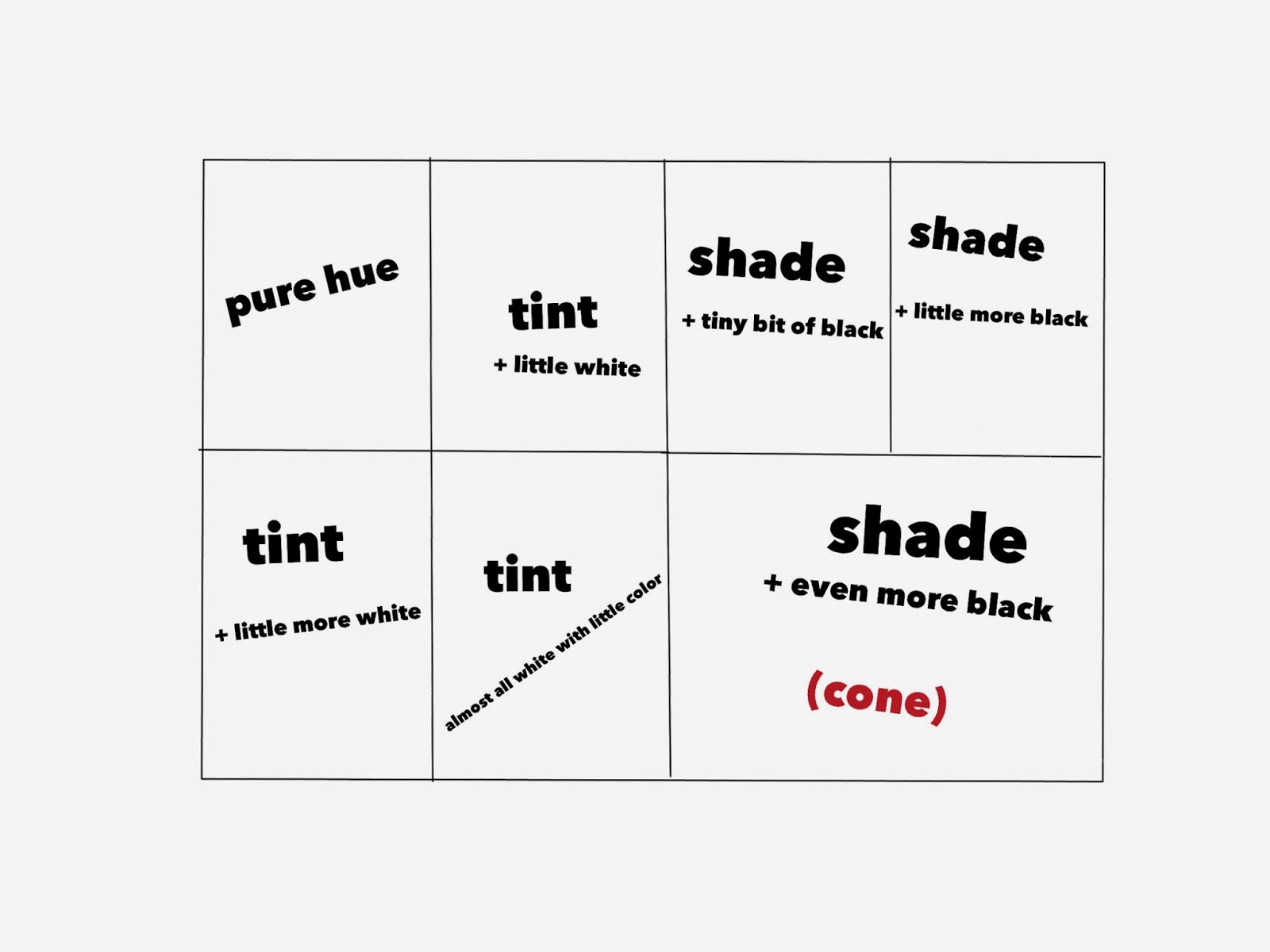
Students discussed how to change a color's value - to make it lighter and darker. As we discussed what would happen if we added white or black to a color, I demonstrated by mixing the colors and painting on a 12x18 paper that was divided up into 7 sections.

Students then chose their color and paired up to share paint. They were given their color + black & white. We divided up the paper and students made little notes on each section if they thought they would need the refresher of what colors they were creating.
This was my guide that I hung up for them to see -


Students spent the next two classes putting together their ice cream cones. They first made a stencil for the scoop of ice cream from tagboard to make them all similar in size. We discussed how we liked them better constructed - dark to light or light to dark. Most decided they liked the look of dark to light because the lightest tint looked great next to the darkest shade of the cone. Some chose to go light to dark. They were able to add some sequin "sprinkles" and had to come up with a name for their flavor. 


See more of our finished ice cream cones on Artsonia -> Tints & Shades with Cherry on Top 


Tuesday, January 7, 2014

Favorite Projects of 2nd Quarter - Part 2: Holiday Inspired Projects

December Projects Inspired by the Holiday Season
Abstract Trees
Poinsettia Painting

Santas in Pajamas
I generally just continue with my normal lessons during the month of December, however I do love all the excitement the kids have for the holidays. So if we finish with projects the first of December, I will connect the concepts we have been learning about, or will continue to explore in the new year, with something holiday themed.

These are a few of my favorites this year:

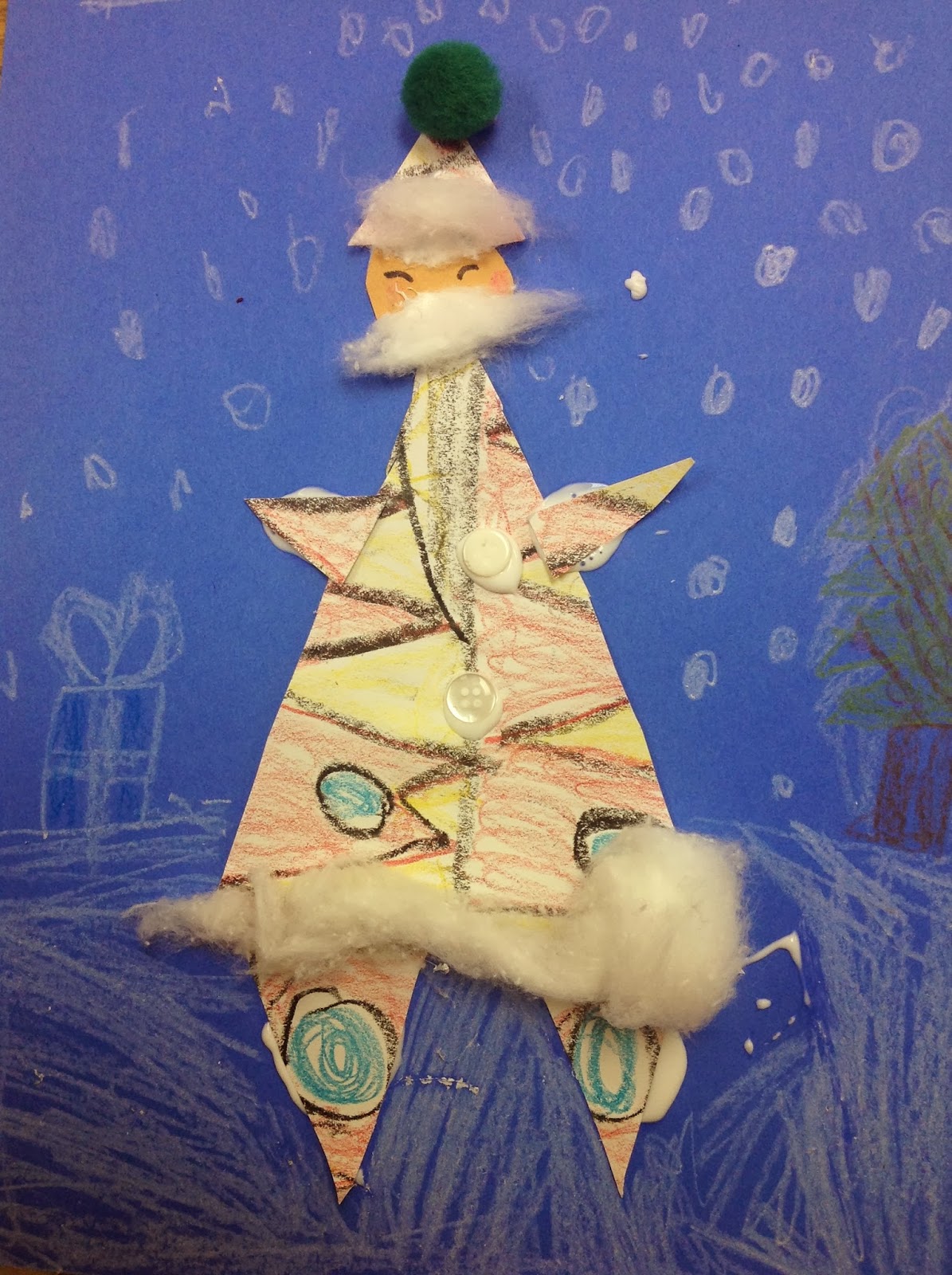
Santas in Pajamas - (1st-3rd grade ELL class)
This was actually a formative assessment. I needed to know where their knowledge was on shape and pattern so that I would know where to focus the learning after break. 
We quickly reviewed what a pattern was and students colored a paper with whatever pattern or patterns they could come up with.

They then cut the patterned paper into a large triangle and five smaller triangles to create Santa's clothes and a circle for his face. I asked these students if these shapes were geometric or organic shapes as they worked on this. Students added some facial features, cotton balls, buttons, and anything else they wanted to complete their Santas. 
They did look at me strangely when I started singing "Santas in Pajamas are dancing round the tree..." in the tune of Bananas in Pajamas.


Poinsettia Painting - (5th Grade)
5th grade students had been working on color theory. One of our objectives for this grade level is for them to understand what complementary colors are and use them in a work of art. The poinsettia sponge painting is perfect project for this. After discussing complementary colors we used sponges and red paint to create the flowers. The sponges were cut into a petal shape.
*In one of my buildings my bag of precut sponges disappeared and I was forced to sacrifice some sponge friends - :( sorry giraffe and donkey!
Students added the complement of red (green) to the background of their flowers. They could put some green in the background, paint it all, paint leaves, it was up to them as long as they showed the complementary color pair. Some details were added to the center and they were done! This is an easy and fun one day project. The results are beautiful and the students understand the contrast that complementary colors present. 


If time allows, I usually follow this art class with one where they can experiment with the other complementary color pairs. What happens when the two colors are mixed? Create a mini painting using another two complementary color pairs.
See more of these in one of our Artsonia Galleries!


Abstract Trees with Geometric Shapes - (3rd and 4th Grade)
This project followed our color lesson so we were able to extend our color discussions to talk about contrast. We looked at the color wheel and identified colors that would stand out when put close to each other. We also discussed the difference between Abstract and Realistic Art and Geometric shape when drawing out our picture.
Students were thrilled to learn they would be using markers to color in these designs. I guess I don't use them very often in our lessons. 
These took a couple art times to finish and students really enjoyed working on them. 
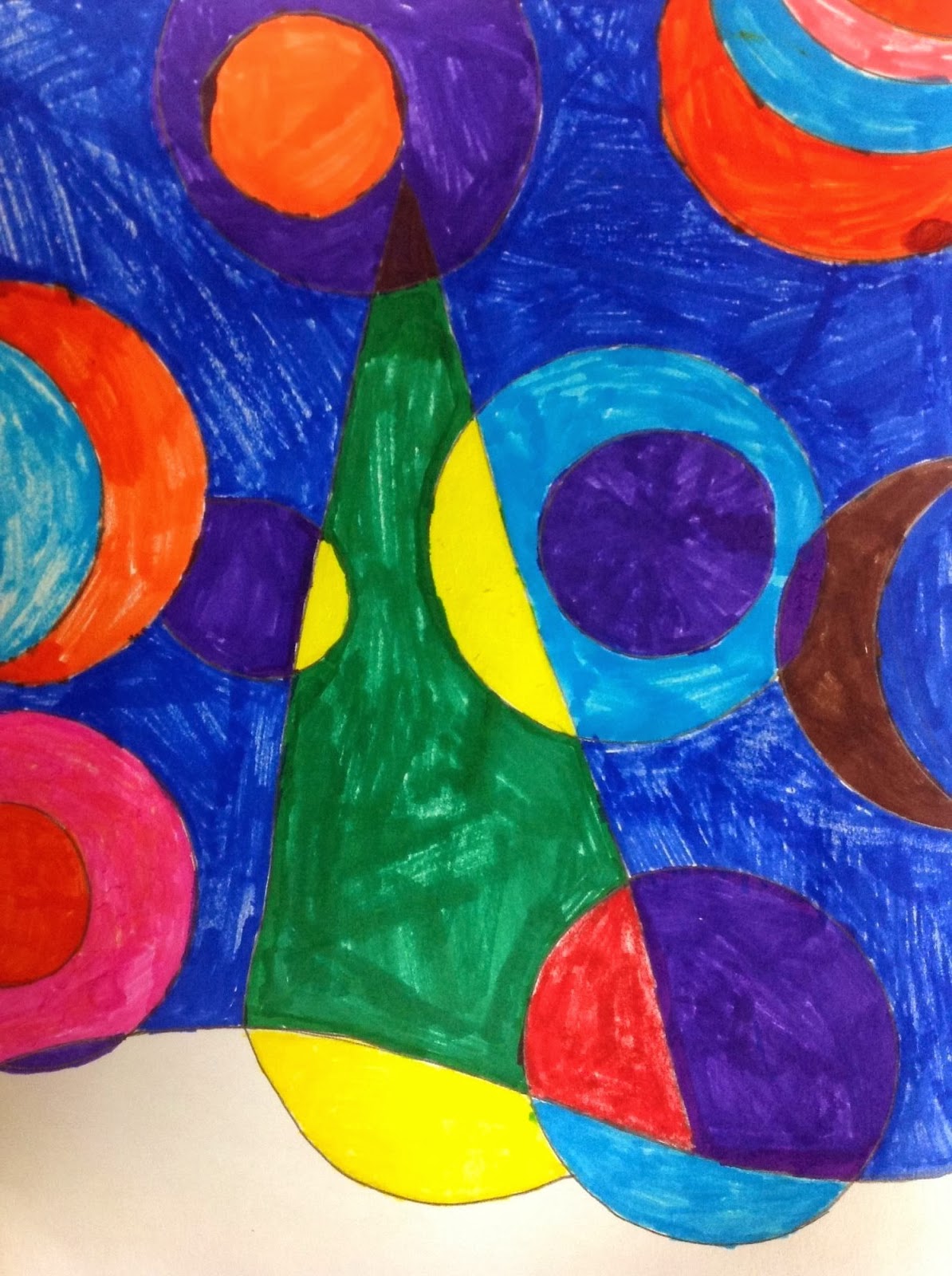

 See more of our Abstract Trees in our Artsonia Gallery!


Thursday, October 3, 2013

Color Experiments

In my quest this year to allow students as much creative expression and freedom within the boundaries of learning outcomes I felt a new approach to our color unit in my upper-elementary classes was in order. Instead of going over the color wheel as a lesson to introduce our color unit, I decided to give the students a chance to experiment and explore color mixing on their own before we even discuss Primary, Secondary, Intermediate, Warm, Cool,....and all the other color schemes we want our students to understand and be able to use in their artwork.

So much fun! The kids loved it and I loved hearing their conversations as they worked. "Hey, I just made sea green!" "Ewwww....this looks like my baby brothers diaper!" "How did you make that color? That is so cool!"

Some students chose to just paint blobs or lines as they mixed while others thought about using their mixed colors to paint images. They all were sad when clean up time arrived but by then they had used most, if not all, of the paint on their palette.


Tuesday, September 24, 2013

Zentangle Pumpkins

My Example
More Zentangle projects - 

4th Grade students at two of my schools are reviewing lines by doing some cool pumpkin drawings with Zentangle designs drawn in them.

They seemed to really like this project. I reminded them that it takes a while and not to rush through. 
Here's a sneak peek at some student work in progress - 


I love the way the art room is hushed when students are doing zentangles. It seems to calm them and they often loose themselves in their work. 
Finding the right music to play while they are working can be a challenge though. Does anyone have any favorite Pandora channels to play during classes for elementary students?


Sunday, September 22, 2013

Animals with Zentangle Designs

My Example
One of the first things I focus on with my elementary students is to introduce or review the use of line quality in an artwork. I've done this in a variety of ways over the years with the different grade levels. One of the projects we are working on this year is animals with zentangle-like designs added to them. 

At one of my schools I decided to focus on the theme of animals in art. So this project seemed to fit right in. I focused on my 4th and 5th graders for this project.

We spent an art time drawing out an animal of their choice. My goal this year is to give students as much creative choice as possible within the confines of what I want them to learn or be able to do by the end of each project. So the choice of animal was extended to include imaginary, combined, or "creatures" of any kind they wished to create.
Once their drawing was done, I went over a few different watercolor painting techniques. We went over wet into dry, wet into wet, and adding salt to obtain different results. 

When the paintings were dry we discussed line quality and I showed some examples of zentangles. I showed the students some parts of YouTube videos by the artist Milliande that I have linked on my Art with Mrs. G website. I also showed them my finished giraffe. I had a blast making it and wanted to let them know that. 

Students are still working on their animals but here are some sneak peeks of them in progress -


Friday, January 11, 2013

iPad Art - Our Chalk Cupcakes Go Wild - Digitally!

Our chalk cupcakes got even sweeter when we had fun with iPad apps!

I photographed the students' chalk cupcakes for Artsonia, as I do with the majority of artwork created. Because I planned on having the students use these images on the iPads, I also created folders in Dropbox with each class's pics.
My 4th grade students (and a few 5th graders in my 4/5 split) learned how to find their cupcake image in Dropbox and download it to the camera roll, on the iPad they were using. I introduced two apps to the whole class using the iPad connected to the projector. I showed the students how to open the app, upload their picture from the camera roll, and how to adjust settings until they liked the creation. I then showed them how to email the finished image to me. I didn't spend a long time on this demo in front of the whole class though. Instead I spent more time with the first 6 students (I currently have 6 iPads) on teaching them more in depth. Then after they finished their digital images, those students chose another student to teach. This cycle continued until all students were finished. By learning and then teaching to another person you retain more knowledge.

One of the apps we used was the Percolator App. It has a lot of manipulations and adjustments that can really transform one artwork into another!


The other app we used was PhotoTropedelic  It's a very fun colorful app!

See more in our Artsonia Gallery 

Wayne Thiebaud Inspired Chalk Cupcakes - 4th Grade

4th Grade students learned about American artist Wayne Thiebaud while creating these yummy-looking artworks.

After we spent some time learning about Thiebaud, students were able to practice using chalk pastels to make a drawing of a ball. We went through how to make an object look more 3-dimensional by using highlights and shadows. They practice blending and keeping fingerprints and smudges off their work. We also talked about being safe and smart with the dust that is created. No blowing or wiping away the dust. Instead it is tapped off into a garbage can.

The next class students worked on their cupcake. I think the practice they had really helped students feel more confident about created their cupcake.

Here's some of my favorites -


We will also be transforming our cupcakes using one of two iPad apps. *that post here*
And...our 2D cupcakes will go 3D with a clay project!

Saturday, October 27, 2012

Color Wheel Eyes

A upper-elementary project combining Art, Science, 
and even Math!


My 4th and 5th grade students enjoyed this project. They all were quite successful with it!

We spent one art class learning a little about the human eye. Students learned to identify the sclera (the white part of the eye), the iris, and the pupil. We also discussed the lines and shapes of the eye lid, brow, and lashes. We started drawing an enlarged eye by tracing a circle stencil I made from tagboard. Since we were going to do a color wheel on the iris, I wanted students to start with a good circle that was the same for everyone. I guided students in sketching out the rest of the eye.


The next class we spent some time dividing the circle of the iris into 12 sections. We had a bit of a math lesson on fractions during this process. Some of my classes were better at it than others, but all accomplished what they needed to do. We also reviewed how Primary colors mixed to make Secondary and then Intermediate colors. We lightly marked out what color went where on the color wheel and I demonstrated mixing and painting the color wheel in the iris.

The following art class most students were able to complete painting the color wheel and most of the black painting. A few finishing touches were added the first 10-15 minutes of the next class before we started our next project.

Here are a few finished student examples -